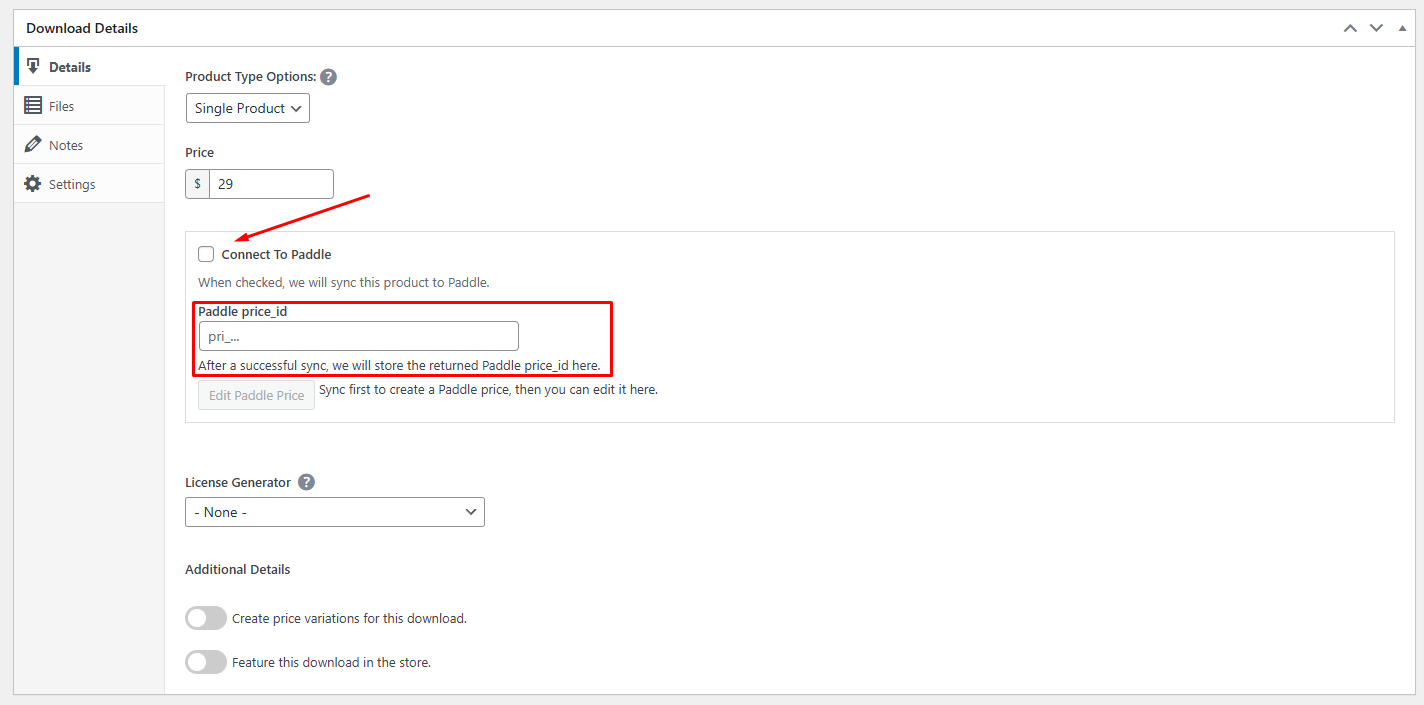
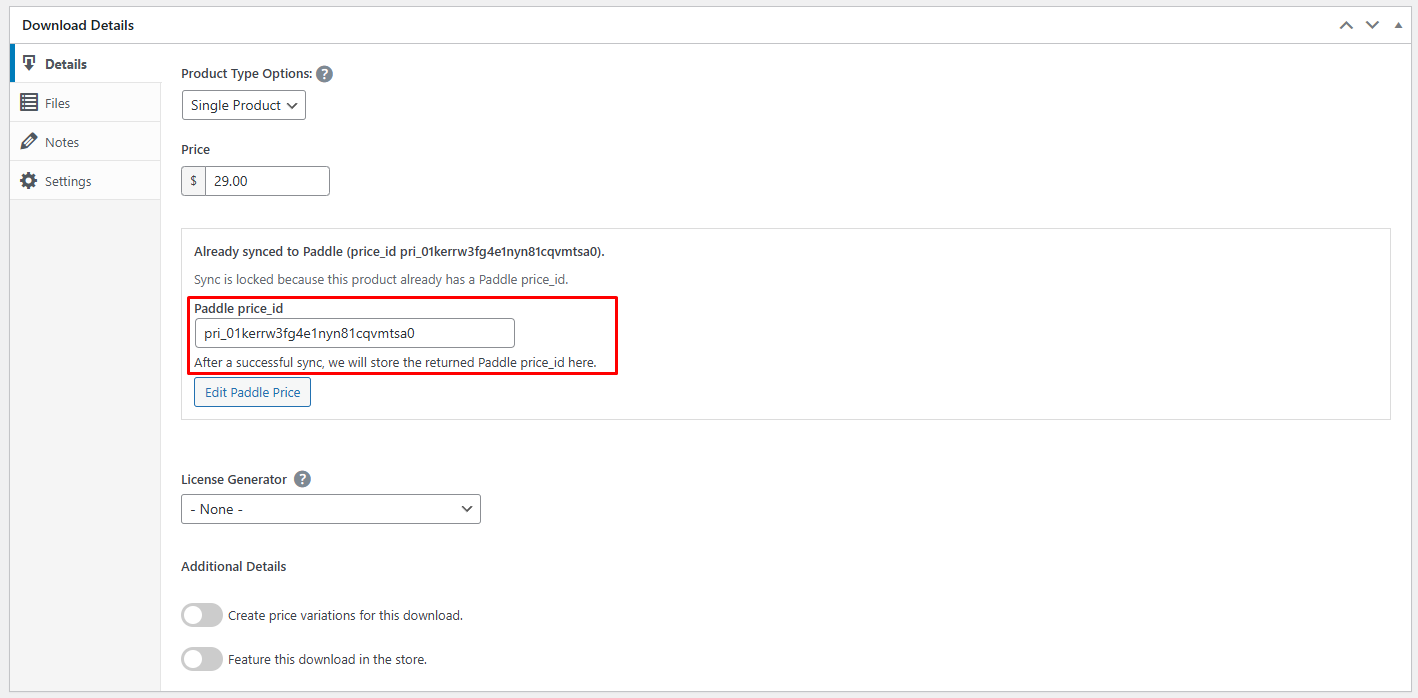
How to Sync Products? For the checkout to work, your EDD products (Downloads) must match products within Paddle.Go to Downloads > All Downloads and edit a product.Look for the Paddle Product Sync meta box (usually in the sidebar or below the main editor).Enter the corresponding Paddle Product ID (or create a new one if available).Click Sync Product to ensure the price and name match between your site and Paddle. After Successfully Synced