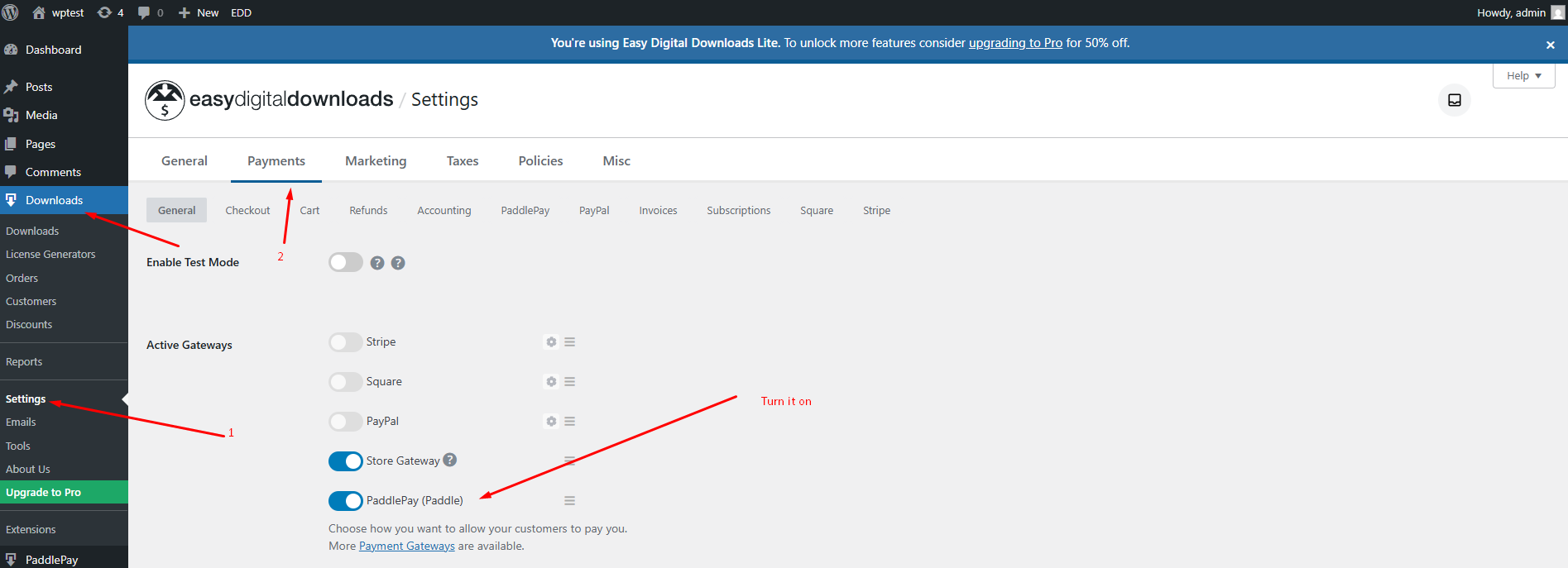
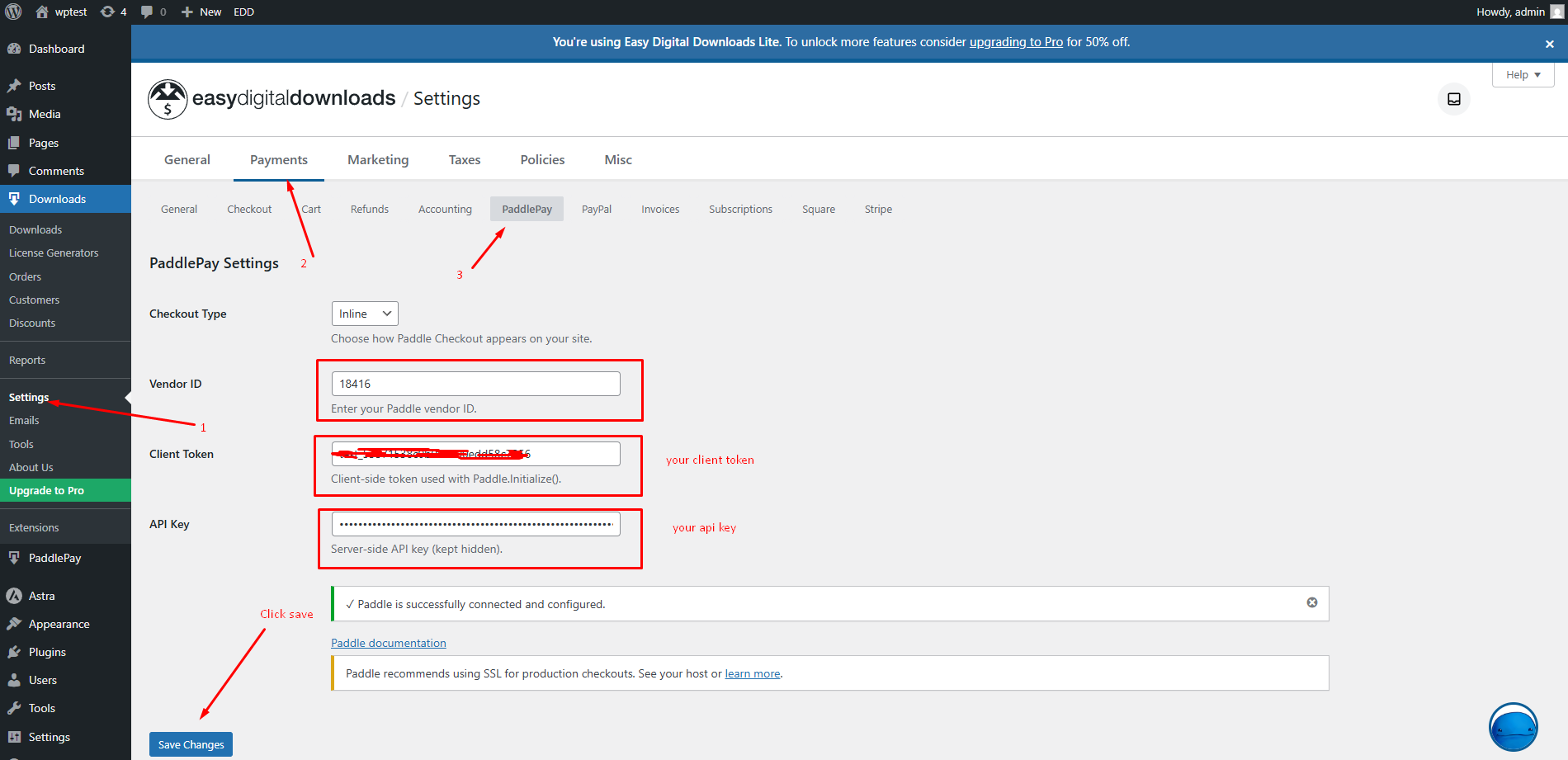
Configuration & Setup Navigate to Downloads > Settings > Payments.Under the General tab, check the box for Paddle to enable it as a gateway.Click the PaddlePay tab (or link) to view specific settings.Here you can configure:Checkout Type: Choose between Overlay (Popup) or Inline.Button Text: Customize the “Buy Now” button label. Setup your API key and Client token for checkout