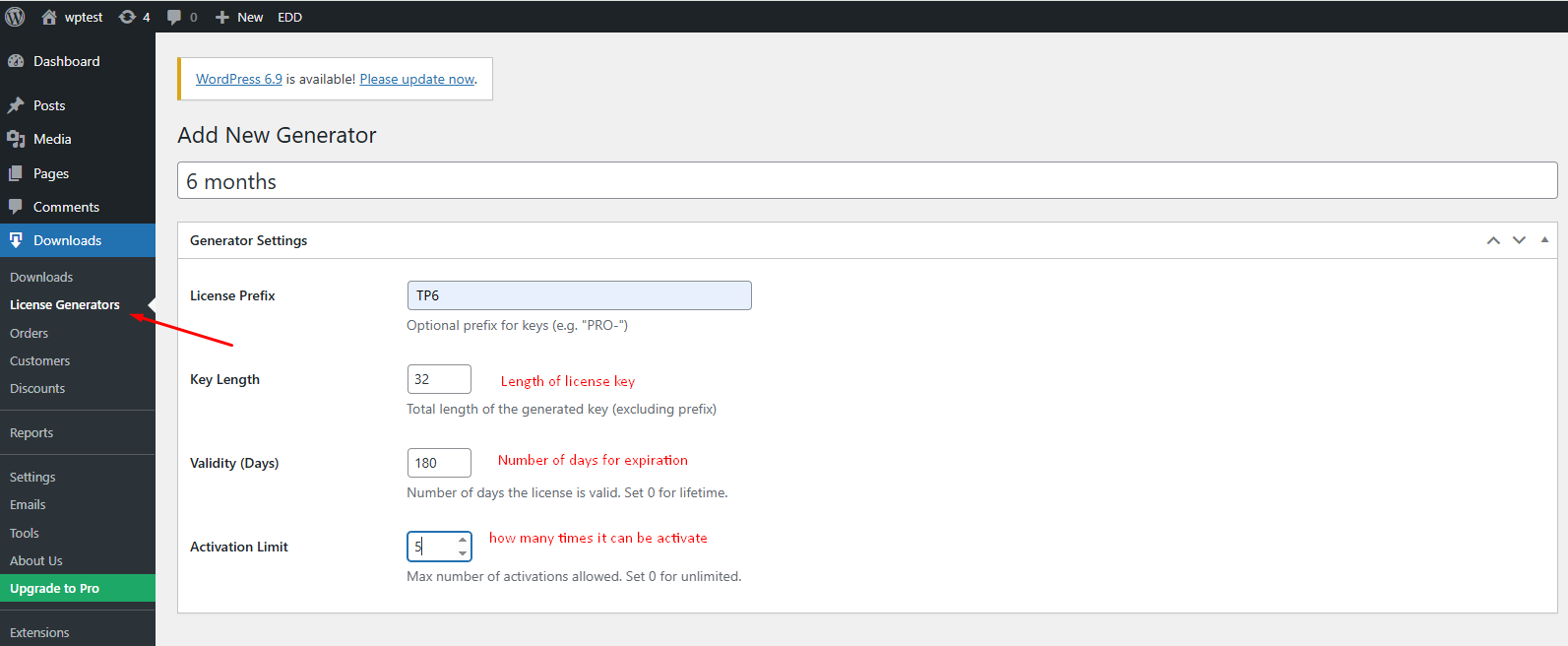
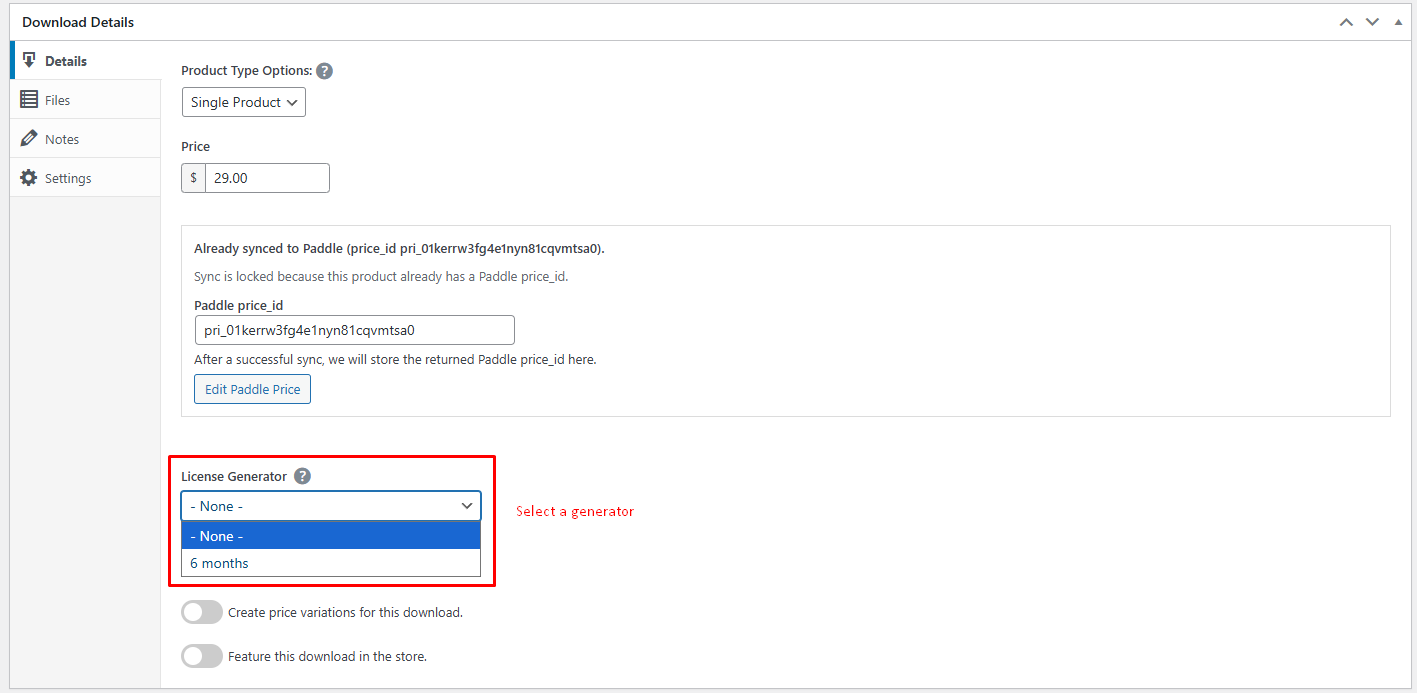
How to Generate Licenses? The plugin can automatically generate license keys for your customers upon purchase.Navigate to Downloads > License Generators.Click Add New Generator.Configure your generation rules:Prefix: Start keys with a specific string (e.g., TP6-/TP1-). mean 6 months/1 year.Length: Total number of characters.Validity: How long (in days) the license is valid (leave 0 for lifetime).Limit: Max number of domains/activations allowed per license.Save the Generator.Link this generator to a specific EDD Download in the product edit screen to auto-generate keys on sale. Attach with your product