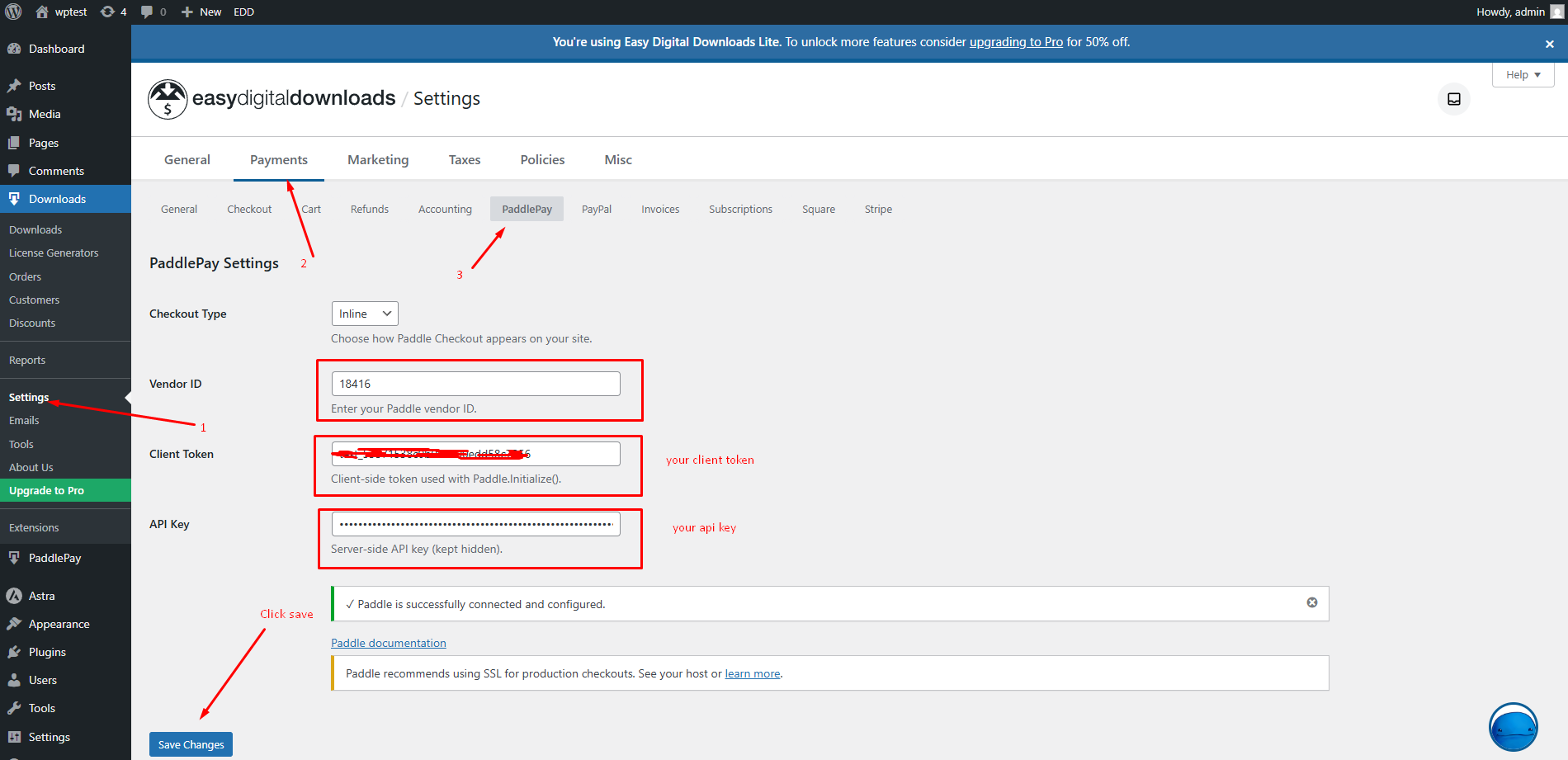
How to Connect to API? To process payments, you must connect the plugin to your Paddle account.Go to Downloads > Settings > Payments > PaddlePay.Enter your Vendor ID, API Key, and Client Token.You can find these in your Paddle Dashboard under Developer Tools > Authentication.Click Save Changes.If the credentials are correct, you will see a green success message confirming the connection.